
BODYVIZ ANATOMY TABLE
BodyViz Anatomy Table Features
-2.jpg "BodyViz Anatomy Table")
- Easy-to-use touchscreen for interactive learning and engagement.
- A 3D virtual dissection platform that won't break the bank.
- BodyViz Touch perpetual license for use with Active Learning Modules and 3D exploration.
- Anti-Collision Safety that prevents accidental pinching or damage.
- Four 4" non-marking wheels for easy and safe movement on hard floors.
- Motorized height-adjustable and tilt table stand. Use vertically, at an angle, or horizontally. 26" (660 mm) of vertical travel to guarantee screen access for all users, including in wheelchairs.
- Hardware compatible with other software.
Cost-Effective
The BodyViz Anatomy Table provides a cost-effective alternative to other tables on the market. Our BodyViz solutions remain extremely scalable to meet your needs, and now we're offering an easier way to provide this engaging collaborative 3D anatomy touch experience for your students, at around half the cost.
Split Screen
Just as your familiar with on a typical computer, the BodyViz Anatomy Table offers an easy-to-use split screen feature. This allows students and educators to work through a BodyViz Activity while virtually dissecting in 3D - at the same time and on the same screen.
Smart Pens
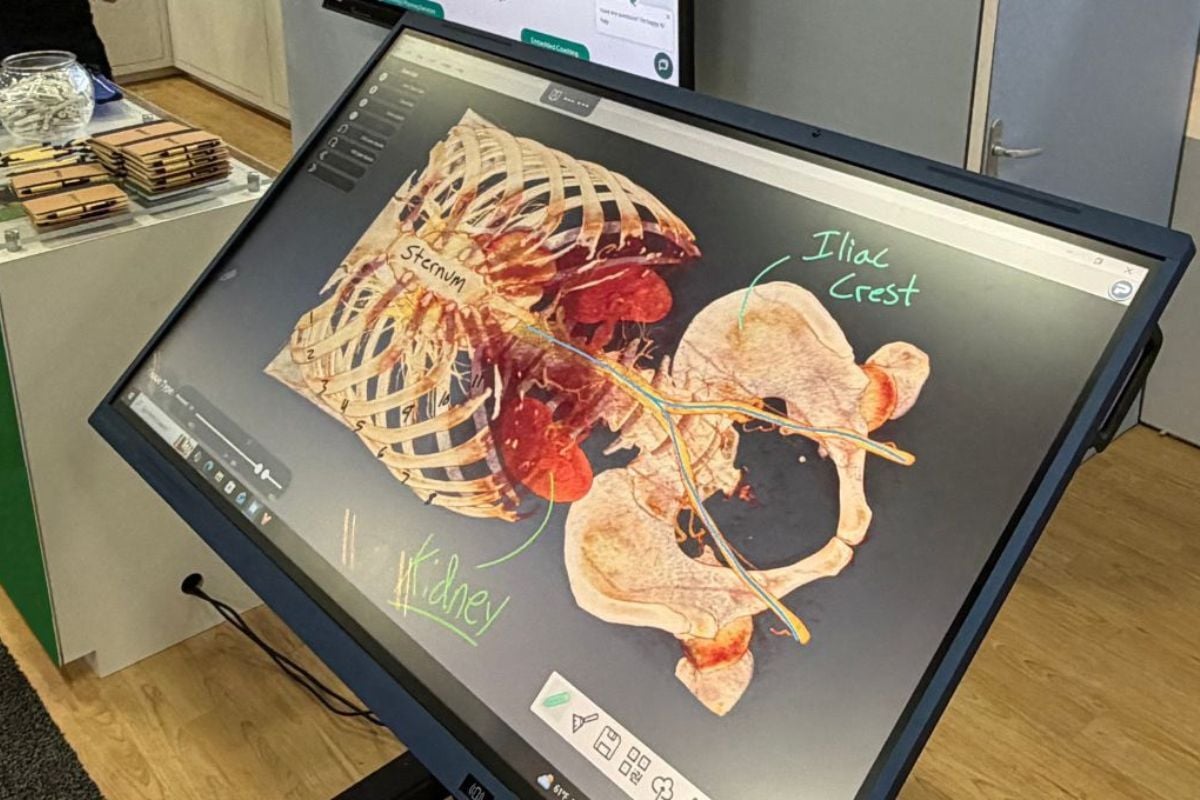
With two smart pens magnetically attached to the BodyViz Anatomy Table, users aren't bound to working with just their fingers. The smart pens allow for an interactive experience to annotate in real time and directly on real patient scans.
Cross-Compatible
The BodyViz Anatomy Table doesn't limit you to only practicing anatomy. The computer hardware is Windows based and compatible with other software, meaning you can utilize the table for classes outside of health and science if you choose!
Engaging Solution That Exemplifies Student Learning
Since the beginning, our company's mission has been to provide affordable access to virtual anatomy dissection through scalable, standard hardware platforms. BodyViz uses real patient data from CT and MRI scans, giving your students the best opportunity to advance their learning by preparing them for future healthcare roles. The BodyViz Anatomy Table offers a cost-effective solution for your students to continue learning from real 3D anatomy. Whether in a teaching or collaborative environment, the BodyViz Anatomy Table can be adjusted to fit all of your needs.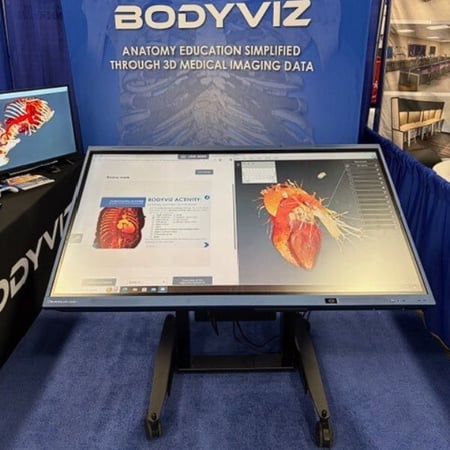
Virtual Dissection at Your Fingertips
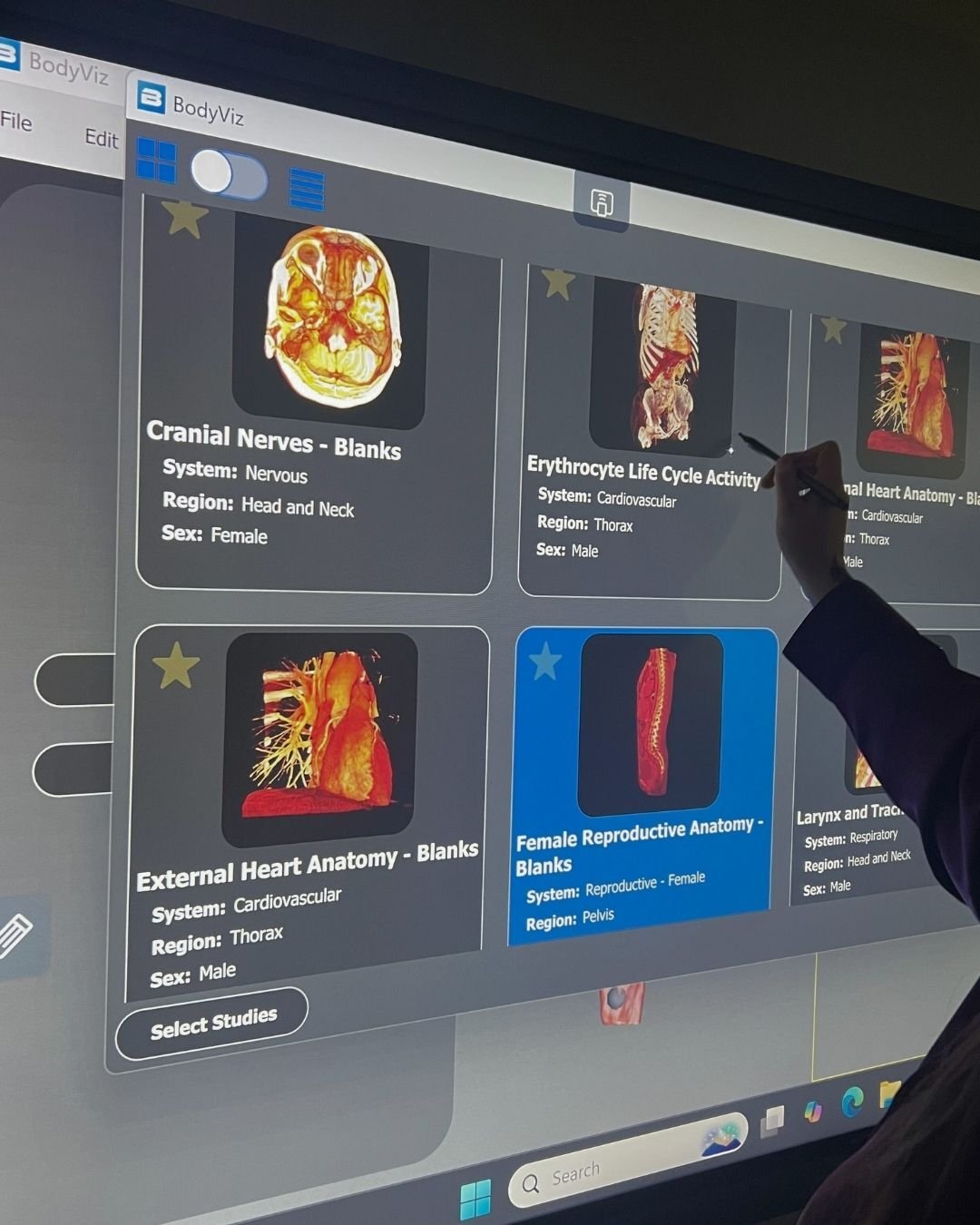
Real Patient Scans
Explore 1,000+ MRI and CT scans in 3D - teaching and learning anatomy with real patient data. Through the lens of a physician, students rotate, pan, and zoom visualizing normal anatomy as well as a variety of pathologies, diseases, and injuries.
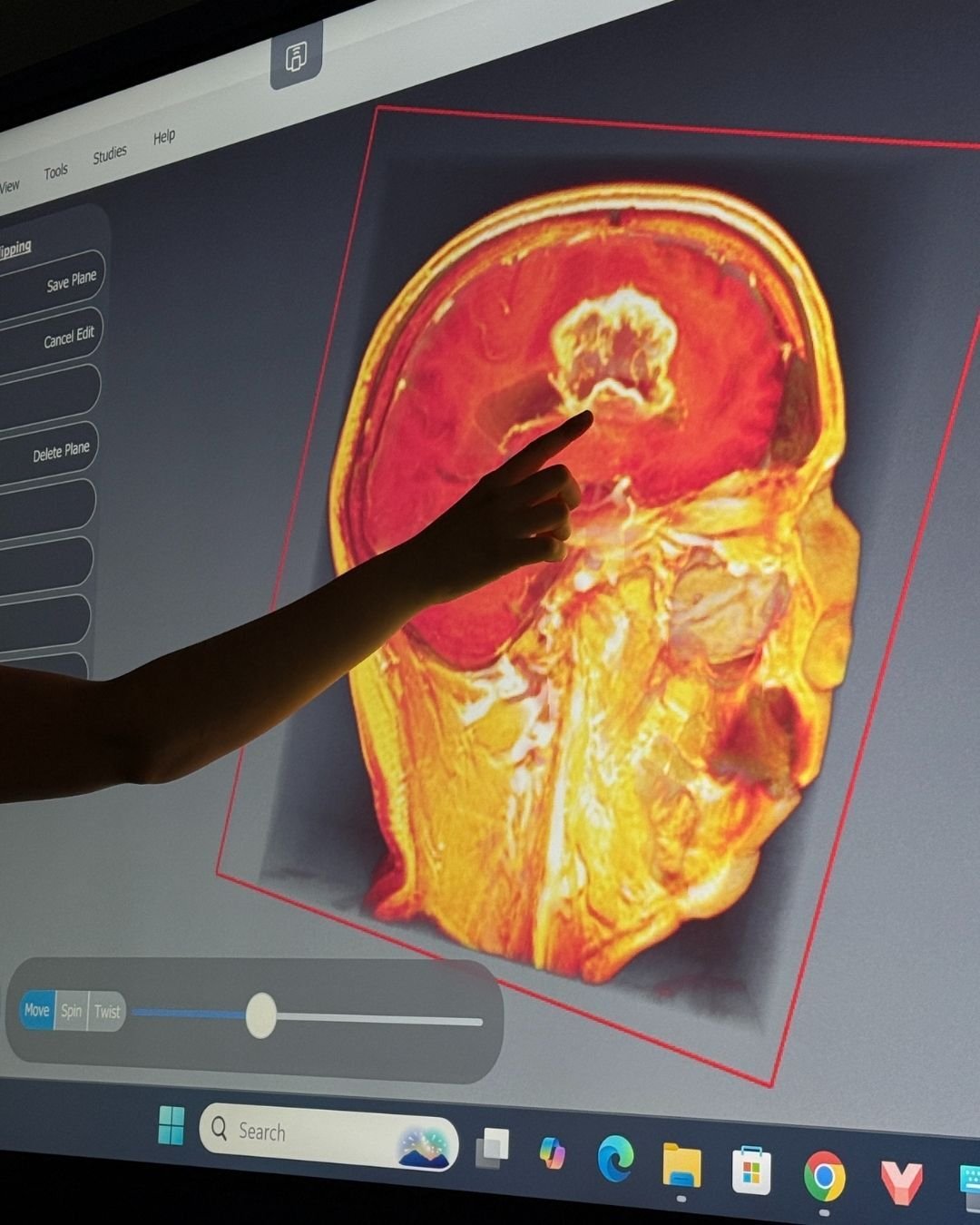
One-Touch Dissection
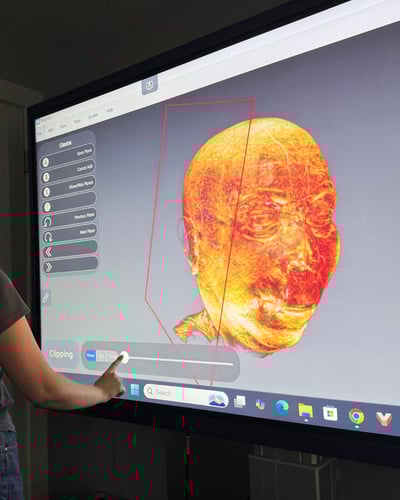
Virtual dissection made easy through a single touch using "Views" in BodyViz. Explore different tissue levels, clipping planes, annotated structures, and anatomical views with ease. Virtual dissection simplified.
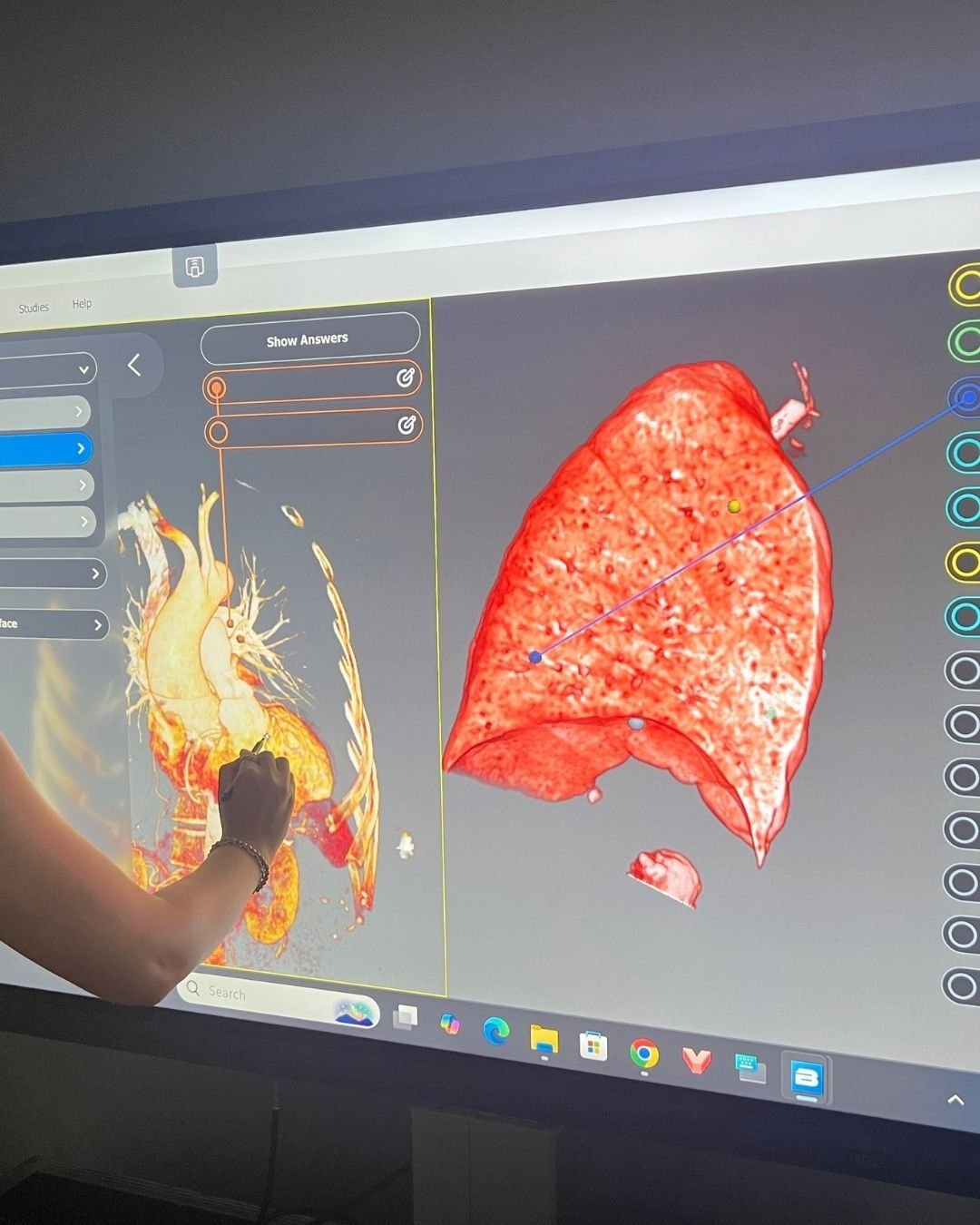
Split-Screen
With the split screen feature on the BodyViz Anatomy Table, students can explore multiple scans simultaneously, comparing normal vs. abnormal anatomy, visualizing different parts of the body in different 3D planes, or even navigating an activity on the BodyViz Portal while working through annotating anatomical structures in 3D.
Transform Learning Across Curricula
.jpg?width=1200&height=800&name=Untitled%20design%20(6).jpg "CTE Virtual Dissection Table")
Career & Technical Education (CTE)
Ensure your students are career-ready with interactive, 3D anatomy created from real human anatomy. BodyViz can integrate into various CTE health pathway curriculum i.e. nursing, CNA, medical assisting, EMT, and many more. In addition to the systems based anatomy modules and quizzes on the BodyViz Portal, "Brain Builders" take students on a journey exploring a variety of different medical cases such as kidney stones, scoliosis, sciatica, Alzheimer's, muscular dystrophy, and more - learning the basics of causes, symptoms, and treatments.
.jpg?width=1200&height=800&name=Untitled%20design%20(4).jpg "3D Vet Dissection")
Veterinary Anatomy
BodyViz is not limited to exploring just human anatomy. Our vast library consists of hundreds of scans beyond the human body such as cats, dogs, birds, reptiles, and more! Excellent for comparative anatomy as well with our multi-volume view in BodyViz.
Undergraduate Anatomy and Graduate Programs
The BodyViz Anatomy Table provides for an engaging supplement to more traditional anatomy learning resources. A collaborative 3D experience that goes hand in hand with cadaver dissection, plastic models, skeletons, bone boxes, textbooks and diagrams. BodyViz takes your classroom or lab to the next level exploring the body through the lens of a physician using real patient scans in 3D.
.jpg?width=1200&height=800&name=Untitled%20design%20(7).jpg "BodyViz 3D Anatomy Table")
K-12 Education
Spark student curiosity and engagement with 3D virtual dissection software and interactive learning modules. With an online suite of ready-to-use educational activities, BodyViz provides everything you need to increase engagement and comprehension.
Why BodyViz?

Real Patient Data
Learn from real patient MRI and CT scans in 3D. Through the lens of a physician, students explore the real anatomy as it's intended to be seen, with over 1,000 scans in the library and thousands of labled structures.

Standard Hardware
No bulky specialized hardware to familiarize with. A 65" touchscreen you know and can trust. Easily transportable from classroom to classroom, and can be used for anything you want, not just BodyViz.

Customer Support
We pride ourselves on exceptional customer support during and after the sale. You won't be left wondering "This is cool, now how do I use it?!" Simple delivery, easy setup, comprehensive training and curriculum mapping. We'll have you ready to use BodyViz in your classroom on day 1.

It's Simple!
We've made BodyViz easy with our simple app user-interface and step-by-step anatomy learning modules. With our curriculum mapping, building BodyViz into you courses is a breeze.
Ready to see change?
Engage Your Students Like Never Before
Schedule a demonstration with our team below to see how BodyViz can influence your classroom and receive a quote!